
The CW
The CW NetworkEntertainment
3.6129.53K Reviews
- Version
- Varies With Device
- Installs
- 10.00M
- Age Rating
- Teen
Screenshots
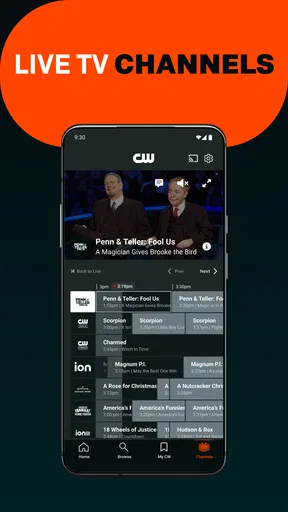
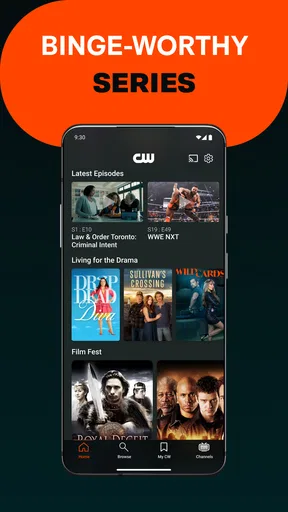
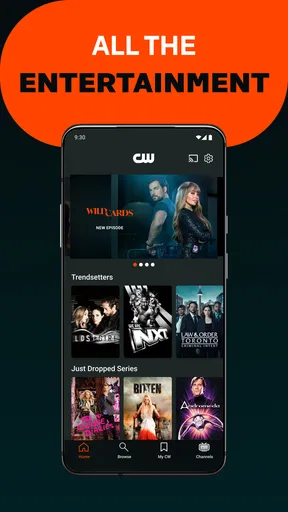
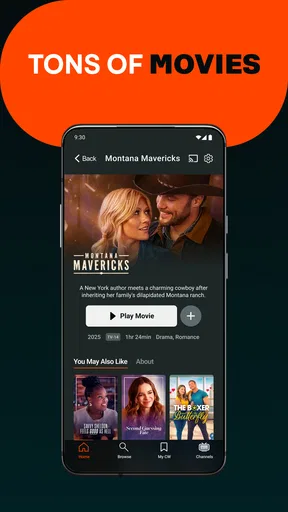
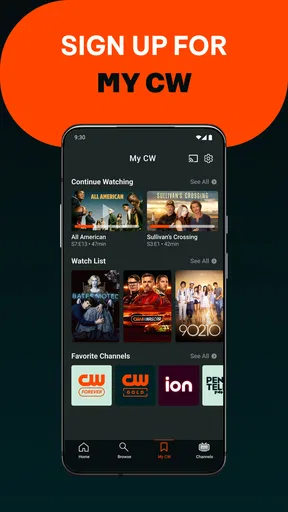
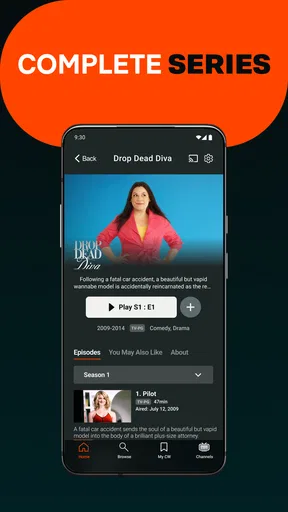
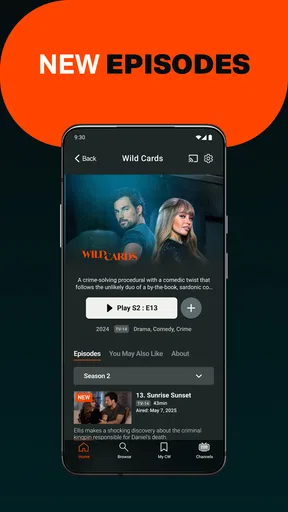
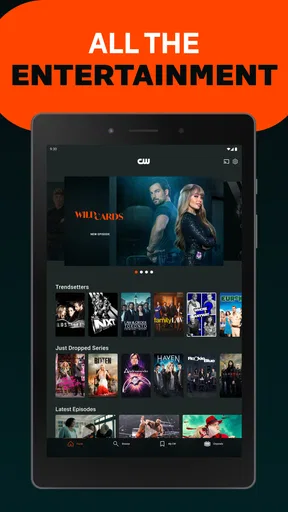
Our Review of The CW
 Analysis by Appyee
Watching television on a phone can be wonderfully convenient, but only when the app gets the basics right: finding a show quickly, starting an episode without confusion, and making the experience fit into a busy day. The CW is The CW Network’s free entertainment app, built around access to the network’s shows on supported Android and iOS devices. I found it most useful as a direct way to keep up with CW programming rather than as a complete replacement for every streaming service in a household.
The app has been around since March 14, 2012, and its long presence is easy to understand. It serves a clear purpose and comes from the network itself, so viewers who mainly want CW content do not have to search through several unrelated platforms. It is rated for Teen audiences, has a 3.6 average from around 373 thousand ratings, and has passed 10 million installs. Those figures suggest a familiar, widely used service, although they also hint that the experience is not universally smooth.
How The CW feels to use today
My first impression is that the app works best when I already know what I want to watch. Opening it with a specific series in mind makes the experience straightforward: I can look for the show, choose an episode, and settle in. It is less satisfying when I am browsing without a plan, because a network-focused catalog naturally feels narrower than a broad service such as Netflix, Hulu, or a general free streaming platform.
That narrow focus is not automatically a weakness. If your viewing routine revolves around CW dramas, superhero stories, supernatural series, or other network programming, a focused app can be more practical than a huge catalog full of titles you will never open. The trade-off is that The CW is not designed to become the only entertainment app on your phone. I see it as a useful channel companion, not an all-purpose video library.
The free price is one of its strongest advantages. There is no subscription decision to make before trying it, which makes the app easy to recommend to someone who wants to catch up on a particular CW show without adding another recurring bill. At the same time, “free” does not mean frictionless. Viewers should expect the experience to reflect a network television model rather than the uninterrupted, premium-feeling playback associated with paid services.
In practical terms, I would use it for a short evening session, a quick episode during a break, or a catch-up plan when I have missed recent viewing. I would not install it expecting a carefully curated replacement for every service I already use. That distinction matters because it sets the right expectations before the first episode begins.
Finding something to watch
The most sensible way to approach the app is with a show-first mindset. Instead of opening it and hoping for endless discovery, I would search or browse with a few likely titles in mind. This makes the app feel efficient, especially when I am following a series and want to return to it without navigating a large entertainment maze.
For a household, that simplicity can be helpful. One person may use the app for a current drama while another checks out a different CW series, and neither needs to learn a complicated media center. The Teen content rating also gives families a useful starting signal, though it should not replace a parent’s judgment about whether a particular program suits a younger viewer.
A less obvious benefit is how the app can reduce platform confusion. When a show belongs to a particular network, viewers often waste time checking several services to find out where it is available. The CW puts the network relationship front and center. That does not guarantee that every title or episode will match your expectations at every moment, but it gives the search process a logical home.
Watching in everyday situations
Imagine finishing work late and remembering that you are behind on a CW series. I would open the app, find the show directly, and use it for a single episode rather than spending ten minutes comparing catalogs. That is where the service earns its place: it turns a specific viewing intention into a reasonably direct action.
It also suits viewers who do not watch enough television to justify another paid subscription. Someone who follows only a small number of network shows may prefer a free, dedicated option over paying for a larger bundle. The app is especially sensible for occasional viewing, provided the viewer is comfortable with the interruptions and account or playback steps that can accompany free network streaming.
On the other hand, it is not my first choice for a long family movie night or for someone who wants one unified watchlist spanning many networks. In those situations, a broader service or a platform already connected to the television may be more comfortable. The CW solves a focused problem; it does not try to solve all streaming problems.
What the long release history tells me
Because the app was released in 2012, it has had plenty of time to become a familiar part of The CW’s digital presence. That history is useful context, but I would not confuse age with constant improvement. An established app can be dependable for its central task while still feeling behind newer streaming products in navigation, personalization, or device continuity.
The important point for existing users is that the app’s identity remains clear: it is a network app from The CW Network, not a separate studio aggregator or a social video platform. People who installed it years ago will recognize the basic purpose, while new users can understand it quickly. The evolution is best judged by how comfortably it handles current viewing habits, not simply by how long it has been available.
I also appreciate that the app’s popularity does not force me to treat it as flawless. Around 130 thousand written reviews sit behind the overall rating, and a middling average usually means the experience varies by device, program, connection, or personal expectations. I would therefore test it with the show I actually want to watch instead of assuming that a positive experience for one viewer guarantees the same result for everyone.
Where it helps existing viewers
If I were already following The CW, the main benefit would be convenience. I could keep the network’s shows in one dedicated place rather than relying on memory, search engines, or a television provider’s inconsistent interface. That is a modest advantage, but it becomes meaningful when repeated every week.
The free model also changes the decision for existing users. I can keep the app available for occasional catch-up without treating it as a major subscription commitment. For a viewer who watches only one or two CW programs, that is more rational than paying for a large catalog that goes mostly unused.
There is also a useful separation between discovery and commitment. I can try a show because it is available through the network’s app without deciding that I want another permanent paid service. If the series is not for me, uninstalling or simply ignoring the app carries little financial consequence.
The limitation is that convenience depends on the app remaining easy to navigate and the playback experience remaining acceptable on the particular device. Established users may be patient with familiar quirks, but a new viewer has no reason to overlook them. The first few minutes of searching and watching matter because they determine whether the app becomes part of a routine or gets forgotten.
The gaps I noticed in the overall proposition
The biggest gap is breadth. A dedicated network app cannot compete with a general streaming service when the goal is variety across studios, genres, and channels. If I want to move from a CW drama to a documentary, a classic film, or a show from another broadcaster, I will probably leave The CW and open something else.
Another gap is the difference between access and ownership. The app can be a convenient viewing window, but I would not think of it as a permanent personal library. People who want downloads, extensive offline planning, or a consistent collection across multiple services should examine whether this network-centered approach matches their habits before relying on it for travel or long periods without a stable connection.
Playback interruptions are another practical consideration for a free network app. I accept them as part of the trade-off, but they can make a short viewing session feel less polished than a paid, ad-light alternative. This matters most when I am watching something tense or trying to fit an episode into a tightly timed break.
The app’s Teen rating is helpful, but it also signals that parents should look beyond the app label. Different CW shows can have very different themes, intensity, and suitability. I would choose the program first and then decide whether it is appropriate for the person watching, rather than treating the platform’s age label as a blanket recommendation.
When another option is better
I would choose a broader streaming service if my priority were a single app for several networks. That option is usually better for people who dislike switching between services or who want stronger cross-platform recommendations. It may cost more, but the larger catalog can justify that expense for frequent viewers.
I would also look elsewhere if offline viewing is central to my routine, such as regular flights or commutes through areas with unreliable connectivity. The CW is more naturally suited to connected, on-demand viewing. For travel planning, I prefer a service whose offline workflow is a clearly established part of my everyday use.
For television viewing at home, a smart-TV app, cable interface, or streaming box may be more comfortable than a phone. The CW remains useful on mobile, but a larger screen and remote control can make a full episode easier to enjoy. I would use the phone app as a flexible companion rather than automatically assuming it is the best screen in every room.
Finally, viewers who want deep personalization should compare expectations carefully. The CW’s strength is direct access to its own programming. It is not the right pick simply because it is free if what I really want is an intelligent system that learns from everything I watch across many providers.
Small habits that make the app more useful
I recommend deciding what I want to watch before opening the app. This sounds obvious, but it prevents the catalog’s focused nature from turning into aimless browsing. I also keep the app as a secondary entertainment tool, so I can use it when a CW show is the goal and switch to another service when the goal is broader discovery.
For shared devices, I would check the selected show rather than handing over the phone with no context. The Teen rating covers the app as a whole, not every individual viewing decision. A quick look at the program’s tone is a better habit than relying on the platform label alone.
When playback is interrupted or the app feels slow, I would first compare the result with another video app on the same connection. That simple test helps separate a network problem from an app-specific problem. It also prevents me from abandoning a useful service because of a temporary issue outside its control.
Another practical tip is to treat the app as a direct route to a network, not as a replacement for a personal media organizer. I would not build my entire viewing schedule around assumptions that every favorite will remain equally prominent forever. Instead, I would open it when I know a CW title is the destination and use my other services for everything else.
What I would watch as the app continues
For future use, I would pay attention to whether the experience keeps pace with the way people now watch television. The most valuable improvements would be smoother navigation, clearer episode organization, and less friction between choosing a show and starting it. Those are the details that determine whether a network app feels current even when its basic purpose has not changed.
I would also watch how well it serves viewers who move between phone, tablet, and television. A focused catalog is already useful, but consistent progress across screens would make it easier to begin an episode casually and finish it comfortably. I am careful not to promise that every such capability is present; I see it as the kind of product evolution that would matter most to me.
Existing users should judge updates by practical results rather than by new labels or visual changes. If finding a familiar series becomes quicker, episode handling becomes clearer, and playback feels steadier, the app is moving in the right direction. If the interface changes without improving those everyday moments, the update will matter less than it appears.
That is the fairest way to view a long-running entertainment app. Its value comes from dependable access to a specific network, not from trying to imitate every feature of a giant streaming platform. I would keep it installed if The CW supplies shows I actively follow, while remaining realistic about its narrower catalog and free-service compromises.
My recommendation
I recommend The CW to viewers who want a free, official way to watch the network’s programming and who are comfortable using a focused app alongside other entertainment services. The combination of no subscription price, a clear network identity, and a large existing user base makes it easy to try. For occasional viewers, it can be a particularly sensible addition rather than an unnecessary expense.
I would skip it if I expect one app to provide every kind of television, a highly personalized library, or the polished continuity of a premium subscription. Those needs point toward a broader alternative. The same is true for anyone whose viewing depends heavily on offline access or a large-screen living-room setup.
My final view is positive but measured. The CW does one job that many viewers genuinely need: it brings The CW Network’s entertainment into a dedicated mobile experience. It is not perfect, and the 3.6 average rating reflects that some people encounter enough friction to lower their enthusiasm. Still, for the right viewer, the app’s focused approach and free access are practical strengths. If your goal is simply to watch CW shows without adding another paid service, it is worth trying first.
Verdict
Strengths of The CW
- Free access to many current and classic CW shows
- Full episodes are available without a cable subscription
- Simple interface makes browsing shows quick and easy
- Closed captions support more accessible viewing
- New episodes are often added shortly after broadcast
Limitations of The CW
- Availability varies by location and may be limited outside the US
- Some episodes include frequent advertising breaks
- The app may require a separate TV provider login for some content
- Show libraries can change without much notice
- Streaming quality depends heavily on your internet connection
Similar Picks in This Category
View All
Google Play Games
Google LLC3.9

Netflix
Netflix, Inc.4.8

YouTube Kids
Google LLC4.2

Disney+
Disney4.4

Prime Video
Amazon Mobile LLC4.7

Steam
Valve Corporation3.2
Frequently Asked Questions
What is The CW app, and what can I watch on it?
The CW app is a streaming platform for watching selected series, specials, and entertainment content from The CW network. Its catalog can include current shows, older seasons, and other network programming, although availability may change over time. After installing it, you can browse titles, read episode information, and start watching supported content directly on your Android or iOS device.
Is The CW app free to download and use?
Yes, The CW app is generally free to download, and much of its available content can be watched without purchasing a traditional subscription. However, the service may be supported by advertising, so commercial interruptions are part of the viewing experience. Content, access rules, and availability can vary by country, device, and licensing agreements, so check the app store listing before downloading.
Do I need to create an account to watch The CW?
The CW may allow users to browse and watch certain programming without creating a paid account, which makes getting started relatively simple. Some features or viewing requirements can differ depending on your location and the current version of the app. If the application requests sign-in, follow its on-screen instructions and review any account or privacy information before providing personal details.
Can I watch The CW app outside the United States?
The availability of The CW app and its programming depends heavily on regional licensing restrictions. Users in the United States may have access to the main catalog, while people in other countries could find the app unavailable or see a different selection of content. Using a VPN or other method to bypass geographic restrictions may violate the service’s terms and is not guaranteed to work.
Does The CW app support offline downloads or live television?
The CW app is primarily designed for on-demand streaming, allowing you to watch available episodes when you have a compatible internet connection. Offline downloads may not be offered, meaning you should not assume that episodes can be saved for travel or viewing without data. Live programming and broadcast features can also vary, so check the current app description and in-app options before relying on it.
